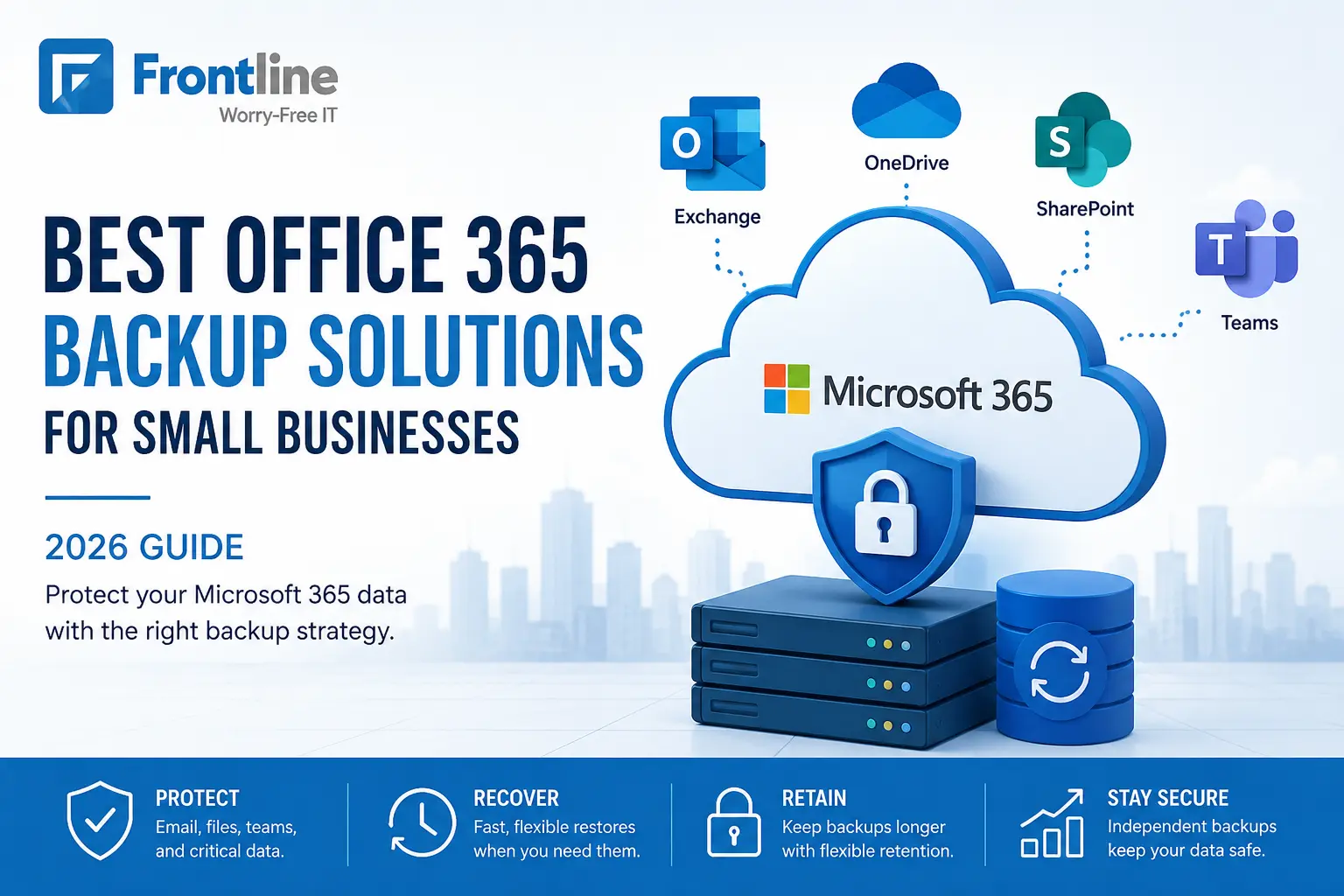
The best Office 365 backup solutions for small businesses in 2026 are per-user cloud-to-cloud tools, including Spanning, Veeam, Datto SaaS Protection, Acronis, and Microsoft’s own pay-as-you-go backup for specific cases.
Why do you need one? Microsoft runs the service, but you are responsible for protecting your data.
This guide compares the leading Microsoft 365 backup options and explains the coverage gaps we see most often. These insights come from backing up Microsoft 365 and Google Workspace data for around 475 users and 48 TB of data every day across client environments in the Los Angeles area.
Why Do You Need an Office 365 Backup Solution?
Most clients think that if their email is in Microsoft’s cloud, it is automatically backed up. It is not that simple.
Microsoft’s job is to keep the service running, including the servers, uptime, and infrastructure. But when it comes to your data, Microsoft recommends that customers regularly back up their content and data.
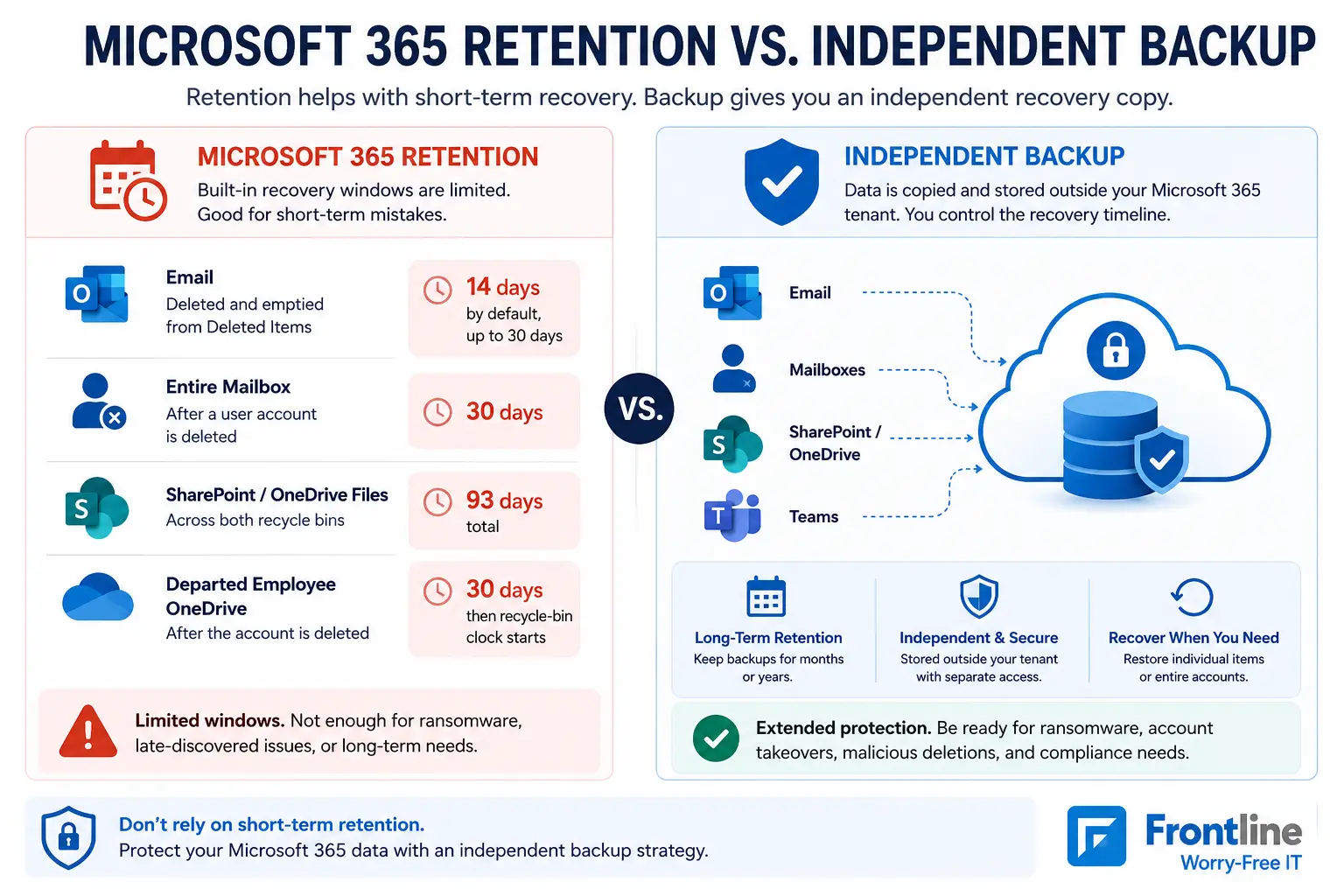
Microsoft is responsible for the platform, but you are responsible for your data. Its built-in retention windows are useful for short-term recovery, but they are not the same as an independent backup.
| What was deleted | How long you can get it back |
|---|---|
| Email a user deleted, then emptied from Deleted Items | 14 days by default, up to 30 days |
| An entire mailbox after a user account is deleted | 30 days |
| SharePoint / OneDrive files | 93 days total across both recycle bins |
| A departed employee’s OneDrive | 30 days by default, then the recycle-bin clock starts |
Those windows are fine for “I deleted the wrong file this morning.” They are much less useful for the scenarios that actually hurt a business.
- An ex-employee whose account was removed 60 days before anyone needed their files
- A ransomware or account-takeover incident discovered weeks after it started
- A malicious deletion timed to be noticed late
- A compliance request for a three-year-old email chain
A separate backup and disaster recovery strategy gives your business a recovery copy outside the Microsoft 365 environment and helps reduce the risk that an attacker can delete both production data and recovery data.
What to Look for in an Office 365 Backup Solution
After running Microsoft 365 backup for small businesses for years, these are the criteria we would tell any owner or operations lead to look for when choosing the best solution for their business.
- Full-workload coverage. It should back up mailboxes, OneDrive, SharePoint, Teams, and shared mailboxes.
- Automatic backups. Daily backups should be the minimum. More frequent backups give you more recovery points.
- Backup data stored outside your Microsoft 365 tenant. Separate storage and credentials help protect backups if an attacker gains control of your account.
- Flexible restore options. You should be able to recover individual emails or files and restore an entire mailbox when needed.
- Easy search and preview. Searching backups and previewing files before restoring them can save time during recovery.
- Flexible retention. Make sure the solution keeps backups for as long as your business needs them.
- Strong security controls. Look for separate admin roles, audit logs, and MFA.
- Clear alerts and reporting. You should know when backups fail or when something is not protected.
- Simple pricing. Check whether storage, SharePoint, Teams, or other workloads cost extra.
- Reliable support. Look for responsive support and clear documentation that make recovery easier.
Why Microsoft 365 Backup Coverage Differs
Not every Microsoft 365 backup solution protects your data the same way.
Microsoft 365 contains many apps and data types, and backup providers use Microsoft APIs to access that data. There is not one API that gives backup vendors access to everything.
That means some data is easier to back up and restore than other data. It is important to look beyond the word “backup” and check exactly what the product protects, how often it backs it up, and what you can actually restore.
For small businesses, pay particular attention to Exchange, OneDrive, SharePoint, Teams, shared mailboxes, and newer Microsoft 365 data types.
The Best Office 365 Backup Solutions in 2026
There are dozens of Microsoft 365 backup products. These are the ones we consider seriously for small businesses, including the platforms we deploy and monitor ourselves.
| Solution | Model | Best fit |
|---|---|---|
| Spanning Backup (Kaseya) | Per user, unlimited retention | SMBs on managed IT; simple, reliable, MSP-friendly |
| Veeam Data Cloud for Microsoft 365 | Per user | Businesses standardizing on Veeam; strong controls |
| Datto SaaS Protection (Kaseya) | Per user | SMBs whose IT provider runs the Datto stack |
| Acronis Cyber Protect Cloud | Per user | Businesses combining backup with endpoint security |
| Hornetsecurity 365 Total Backup | Per user, unlimited storage | Budget-conscious SMBs wanting bundled email security |
| Microsoft 365 Backup (native) | Pay-as-you-go per GB | Fast bulk restores; small-data tenants |
Spanning Backup: This is what Frontline uses for most managed clients. It automatically backs up Exchange, OneDrive, SharePoint, and Teams every day. Unlimited retention and simple restores make it practical for SMB environments.
Veeam Data Cloud for Microsoft 365: A strong choice for businesses already using Veeam. It offers good security controls and flexible recovery options.
Datto SaaS Protection: Sold through MSP partners and offers multiple backups per day with solid Teams and SharePoint coverage.
Acronis Cyber Protect Cloud: Combines Microsoft 365 backup with endpoint protection. It can fit businesses that want backup and security in one platform.
Hornetsecurity 365 Total Backup: Includes unlimited storage and retention and can make sense for businesses already using Hornetsecurity for email security.
Microsoft 365 Backup: Microsoft’s own backup option uses a pay-as-you-go model. Its biggest advantage is fast recovery because the data remains within Microsoft’s cloud. We see it as a useful extra recovery layer rather than a replacement for an independent backup.
Per-User vs. Per-GB: Which Backup Pricing Model Makes Sense?
One client, a digital marketing company, has 99 users but nearly 18 TB of Microsoft 365 backup data.
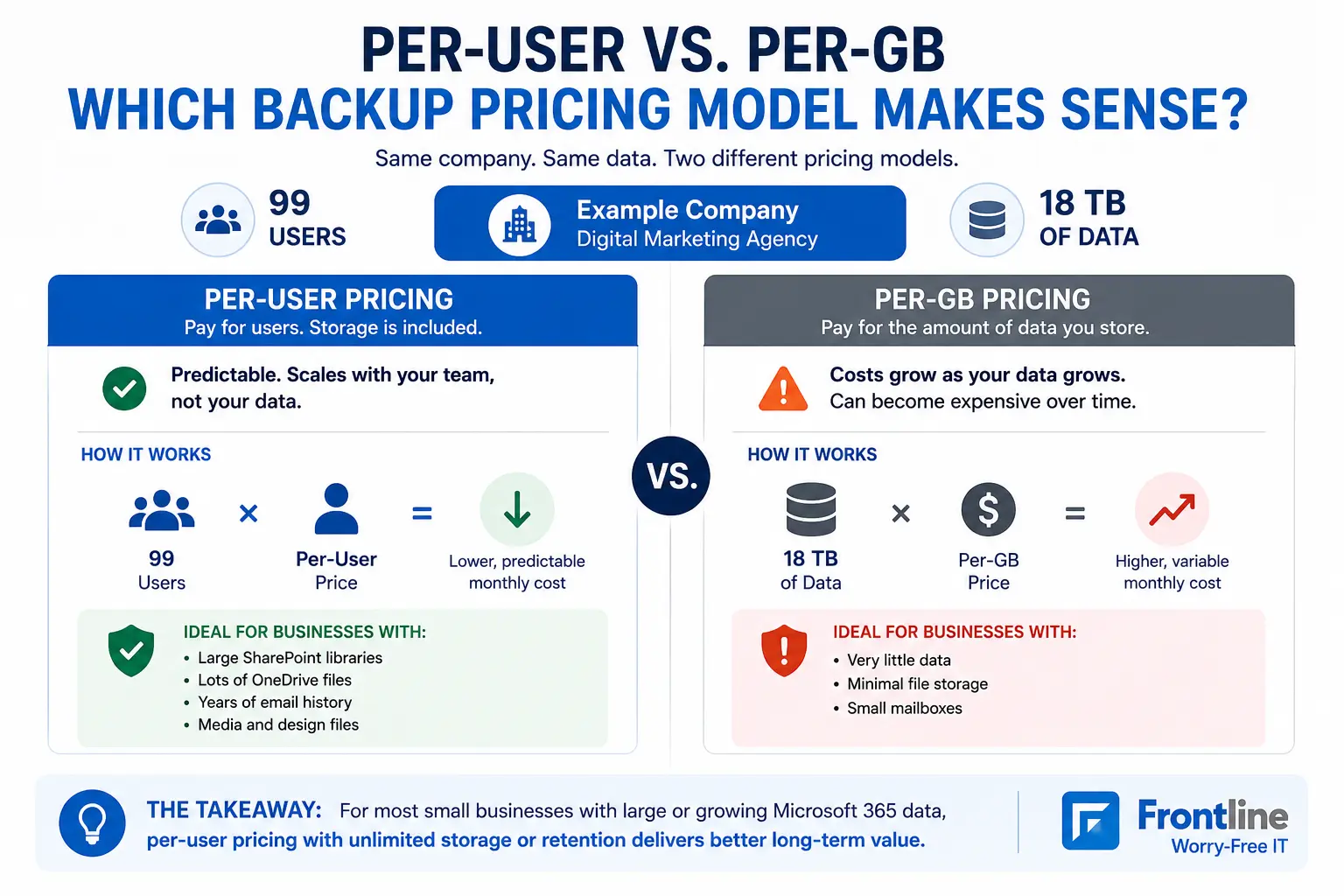
With a per-GB pricing model, that much data can quickly become expensive. A per-user plan with unlimited storage or retention can cost significantly less for the same amount of data.
The takeaway: A small business with very little data may benefit from per-GB pricing. Businesses with large SharePoint libraries, media files, or years of email should look closely at per-user plans with unlimited storage or retention.
Before choosing a solution, look at your current data size and expected growth. A managed IT provider can help compare the options and identify the model that makes the most sense for your business.
The Coverage Gaps Almost Everyone Has
We tend to see the same gaps when we audit Microsoft 365 tenants, including businesses that already “have backup.”
Shared mailboxes: Shared mailboxes such as accounting@ or info@ often get missed because they do not need a Microsoft license. Make sure your backup solution includes them.
SharePoint and Teams: A nonprofit client came to us with email backup running regularly, but SharePoint and Teams had been overlooked. That can leave years of files and documents outside the backup scope.
New users: New users are regularly added after the original backup setup. Protection should automatically include them instead of relying on a one-time configuration.
A practical approach is to review mailbox coverage, shared mailboxes, SharePoint sites, Teams channels, and new users quarterly to confirm everything is still protected.
Backup Is a Process, Not a One-Time Setup
During our work, 3 of the 12 tenants we backed up had at least one failed backup component, such as a mail job or contact sync.
Nothing serious happened, but someone still had to notice the issue and run the backup again. Cloud-to-cloud backups can fail because of expired permissions, service limits, or renamed user accounts.
That is why monitoring matters. Frontline’s backup recovery services include monitoring backup jobs across client environments, checking for failures, fixing issues, and performing regular restores.
Conclusion
Find out what is actually protected. Most owners are surprised by what their “backup” does not cover, including shared mailboxes, SharePoint sites, and accounts added after the original setup.
Frontline offers Los Angeles small businesses a Microsoft 365 backup gap assessment. We inventory every mailbox, site, and Teams channel in your tenant, show you what is and is not protected, and compare per-user and per-GB costs for your actual data.
Frequently Asked Questions
What is the best backup solution for Office 365?
For most small businesses, a per-user cloud-to-cloud tool such as Spanning, Veeam Data Cloud for Microsoft 365, Datto SaaS Protection, or Acronis is a strong fit. Look for Exchange, OneDrive, SharePoint, Teams, and shared mailbox coverage, along with suitable retention and independent monitoring.
Does Office 365 back up your data?
Microsoft keeps the service running and provides short-term retention and recovery features, but those controls are not the same as an independent long-term backup. Microsoft also recommends that customers regularly back up their content and data.
Is OneDrive a backup?
No. OneDrive is primarily a synchronization and collaboration service. Deletions, overwrites, and ransomware-encrypted files can sync to the cloud copy as well. Versioning and recycle-bin features help with some mistakes, but they do not replace a separate backup.
How long does Microsoft 365 keep deleted emails?
Once an item is removed from Deleted Items, it is typically recoverable for 14 days by default, and an administrator can extend that period to 30 days. A deleted user’s mailbox is generally recoverable for 30 days.
Which Office 365 backup pricing model is best?
It depends on how much data you have. Businesses with very little data may benefit from per-GB pricing, while organizations with large SharePoint libraries, media files, or years of email may get better value from per-user plans with unlimited storage or retention.
Ready to Check Your Microsoft 365 Backup Coverage?
Frontline can review your Microsoft 365 environment, identify missing backup coverage, and compare the pricing models that fit your actual users and data.
If you are also planning broader Microsoft 365 changes, Frontline can support your Microsoft 365 migration and management alongside backup and recovery planning.
FT
About the author