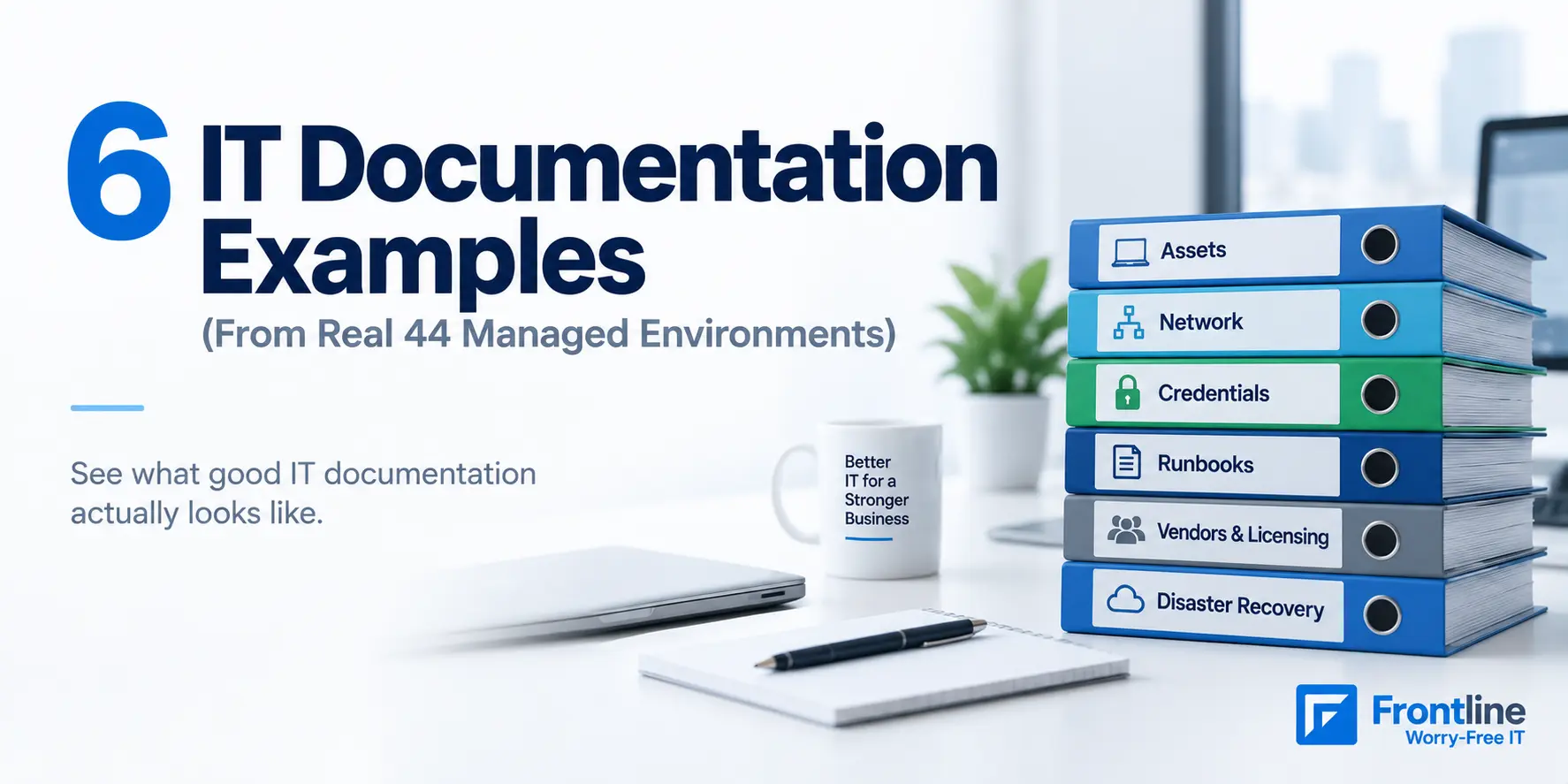
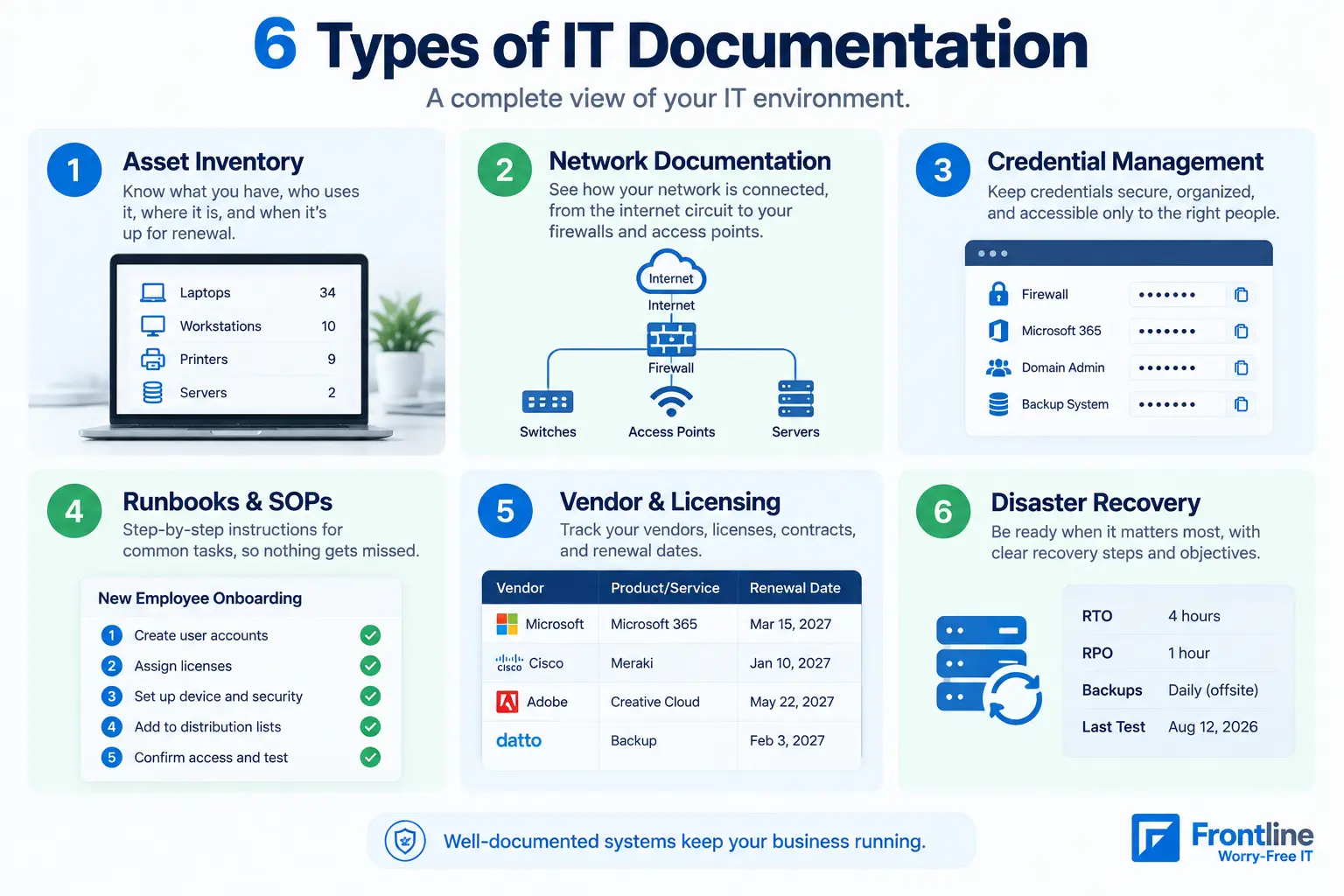
Good IT documentation means a qualified engineer who has never seen your environment can support it without calling anyone. In practice, that requires six document types: asset inventory, network documentation, credential management, runbooks, vendor and licensing records, and a disaster recovery plan. All of this needs to stay up to date through automation.
Most IT documentation articles simply list what should be documented and explain why it matters. This one shows you what good documentation actually looks like, including our audit results, the gaps we found in every environment we manage (including our own), and the simple test we recommend for any IT provider: ask them to show you your documentation.
Below are real examples from the 44 client environments we document every day.
What is IT Documentation?
IT documentation is an organized record of the processes and assets that the IT team needs to keep things running smoothly. This includes what you have, how it’s configured, who can access it, how routine tasks get done, and what happens when something fails.
IT documentation usually needs to work for three groups: IT staff, who need quick and reliable information to do their jobs; end users, who need simple answers to common questions; and new hires, who need clear guidance to get up to speed without having to shadow someone for weeks.
To check if your IT documentation is good, ask yourself the following: If your IT provider disappeared tomorrow, could someone else keep your business running using only your documentation? If the answer is “no”, this is your starting point.
Understanding what happens when your IT provider leaves also shows why your business needs reliable access to system records, credentials, configurations, and recovery procedures.
6 IT Documentation Examples From Real Managed Environments
These examples come from our documentation platform, IT Glue, with Liongard feeding it automated configuration snapshots. They span 44 client organizations, 4,146 tracked devices and systems, and 2,469 documented contacts as of August 2026.
Let’s walk through each one. The clients are anonymous, but the IT documentation structure is real.
1. Asset and Configuration Inventory
This is the starting point. You should know what devices and systems you have, who uses them, where they are, whether they’re under warranty, and what support history they have.
Real example: for a Los Angeles creative agency with about 50 employees, the inventory tracks 87 active devices: 34 laptops, 10 workstations, 9 printers, 9 virtual machines, 7 UPS units, 4 switches, 4 wireless access points, 3 storage devices, 2 physical servers, and 1 firewall. Each device is linked to its warranty status, and 76 retired devices are archived rather than deleted, which preserves history. When a laptop dies, the service desk sees its age, warranty, and replacement candidate before the ticket is ten minutes old.
What makes it good: Everything is kept current, connected to the right person and location, and old equipment isn’t simply deleted from the record.
The problem with most inventories is that they were accurate when someone created the spreadsheet and haven’t been updated since.
2. Network Documentation
This is the map of how your network works. It should cover your internet connections, network segments, Wi-Fi, firewalls, and other key equipment.
Real example: a multi-site industrial products company with roughly 135 users across three California locations carries structured records for 4 internet/WAN circuits, 7 LAN segments, 6 hypervisor hosts, plus 19 switches and 52 access points in inventory. That’s enough that an engineer dispatched to any of the three sites knows the addressing scheme, the ISP account to reference, and which closet holds which switch before arriving.
Accurate records also make documenting and managing your network infrastructure easier when switches, access points, or other equipment need to be replaced or reconfigured.
One important distinction here is that having network information written down isn’t the same as having a network map.
3. Credential and Access Management
This isn’t a spreadsheet full of passwords. Good credential management means using a secure password vault where credentials are encrypted, linked to the systems they belong to, and only available to the people who need them.
For example, the password for your firewall should be securely linked to the firewall record, with access controlled and logged. You should also be able to see who accessed it and when.
If your IT provider can’t show you an access history, that’s a red flag.
4. Runbooks and Standard Operating Procedures
These are simple, step-by-step instructions for tasks that need to be done more than once.
Real example: the creative agency above keeps simple checklists for setting up new employees and removing access when someone leaves. This makes sure accounts, hardware, and access are handled the same way every time, and nothing gets missed when someone leaves the company.
The goal is simple: important tasks shouldn’t depend on one person remembering what to do.
5. Vendor and Licensing Documentation
This answers a basic question: Who do you pay, what are you paying for, and when is it due?
Across our managed base, we maintain 162 active licensing records alone. This is the documentation that turns a surprise renewal into a budgeted line item. It’s also how a licensing review catches waste like seats purchased but never assigned.
6. Disaster Recovery Documentation
You need a backup and disaster plan when something goes wrong: backup systems and schedules, what’s protected (and what isn’t), recovery time and recovery point objectives, and the actual step-by-step restore procedure. NIST’s contingency planning guidance (SP 800-34) has been the reference framework here for years, and frameworks like CMMC now make documented recovery procedures an audit requirement rather than a nice-to-have. Our compliance clients review and update this documentation on a monthly cadence for exactly that reason.
The real test is simple: Could someone who didn’t set up your backups restore your most important system using the documentation alone?
If the answer is no, there’s still work to do.
What Good IT Documentation Looks Like
Across all the examples above, good documentation comes down to four things:
1. Current
Documentation starts going out of date as soon as something changes. Across 39 client environments, 683 systems automatically feed configuration changes into our documentation through more than 3,000 scheduled checks. So far, that has captured 14,887 changes without anyone having to remember to update a document. Anything that can’t be automated gets a clear owner and review date.
2. Structured
A collection of random wiki pages quickly becomes difficult to manage. Good documentation follows a consistent structure, using templates and defined record types. Our system uses 98 structured record types covering everything from Active Directory and backups to licensing and VoIP. This gives every client environment a consistent layout that’s easy for our engineers to navigate.
3. Owned
Every type of documentation needs someone responsible for keeping it accurate. If nobody owns it, it will eventually become outdated.
4. Inspectable
You should be able to see your own documentation. If your IT provider won’t give you access to it, that’s a problem. Your documentation should belong to your business, not be something you only get to see when your provider decides to show you.
What Bad Looks Like: Our Own Audit Numbers
Here’s something most IT documentation checklists won’t show you: what happens when you actually audit the documentation.
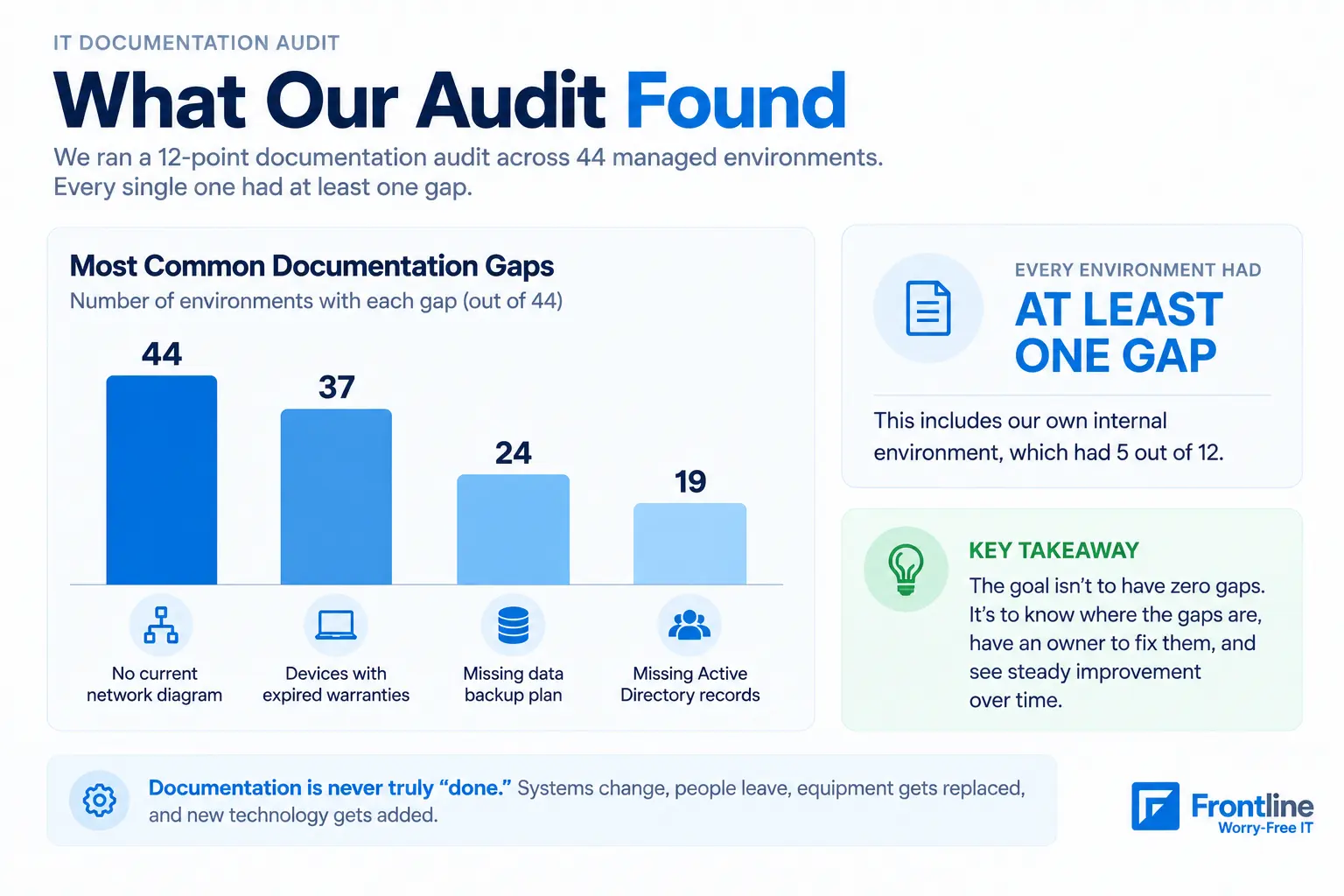
In August 2026, we ran a 12-point documentation audit across all 44 organizations in our platform. Every single one had at least one gap, including our own internal environment, which had 5 out of 12.
The biggest gaps were:
44 environments had no current network diagram. The network information was documented, but the actual maps weren’t.
37 environments had devices with expired warranties.
24 environments were missing a structured data backup plan and documentation.
19 environments were missing Active Directory records.
There’s some context behind these numbers. Some of the environments with the most gaps were still being onboarded or offboarded, so their documentation wasn’t finished yet.
But that’s exactly the point: documentation is never truly “done.” Systems change, equipment gets replaced, employees leave, and new technology gets added.
The difference between good and bad documentation isn’t having zero gaps. It’s knowing where the gaps are, having someone responsible for fixing them, and seeing those numbers improve over time.
If your IT provider says your documentation is 100% complete, ask when they last audited it.
How to Write IT Documentation: A Practical Process
Whatever type of document you’re building, this eight-step process holds up:
1. Define the audience and purpose first. Name exactly who this is for: technician, end user, new hire.
2. Gather the material from people during the process, not just from your old documentation. You can interview the technician who runs the process, check support tickets for recurring questions, and look for gaps in what already exists.
3. Match the format to the content. SOPs want numbered steps, while troubleshooting guides want symptom-first organization.
4. Use a consistent template. A pattern like PROCESS_DEPARTMENT_VERSION makes documents easier to find and easier to trust as current.
5. Include someone who wasn’t involved in the process. Ask him to follow each step, and if there is any place they get stuck, it is a gap that you need to fix.
6. Publish it for people to find it. Put it somewhere where people can search for it and link it to the workflows that use it.
7. Assign an owner and a review date. Every document should have someone responsible for it and a date to check it. Review more often when information changes quickly: credentials monthly, standard processes quarterly, and stable information annually.
8. IT documentation is an ongoing process. When something changes, update the related documentation. Build this into your normal workflows.
Quick Self-Audit: Check Your Own IT Documentation
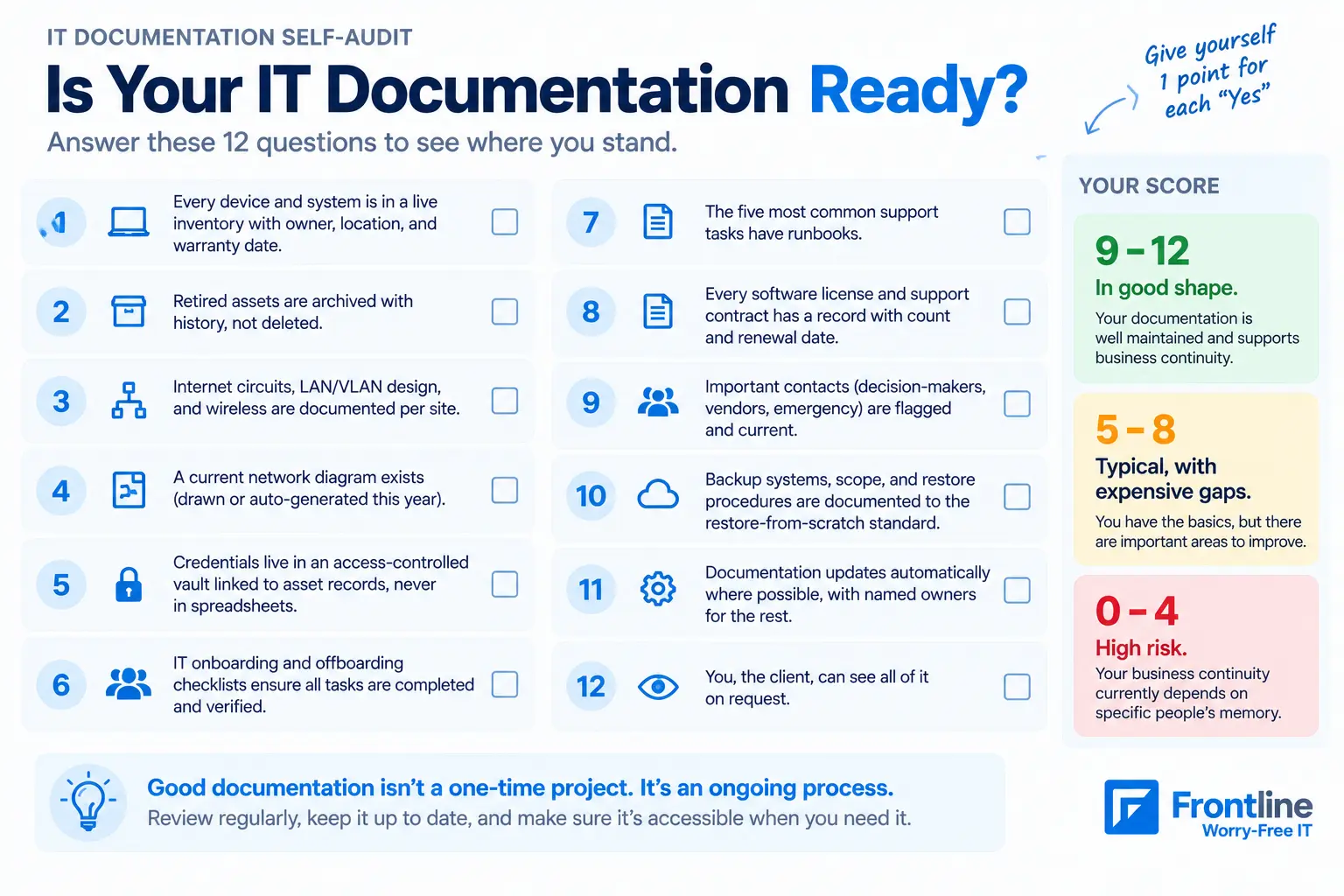
The audit we run against every environment, condensed into a checklist you can apply to yours today. Give yourself one point for each “yes”:
1. Every device and system is in a live inventory with owner, location, and warranty date
2. Retired assets are archived with history, not deleted
3. Internet circuits, LAN/VLAN design, and wireless are documented per site
4. A current network diagram exists (drawn or auto-generated this year)
5. Credentials live in an access-controlled vault linked to asset records, never in spreadsheets
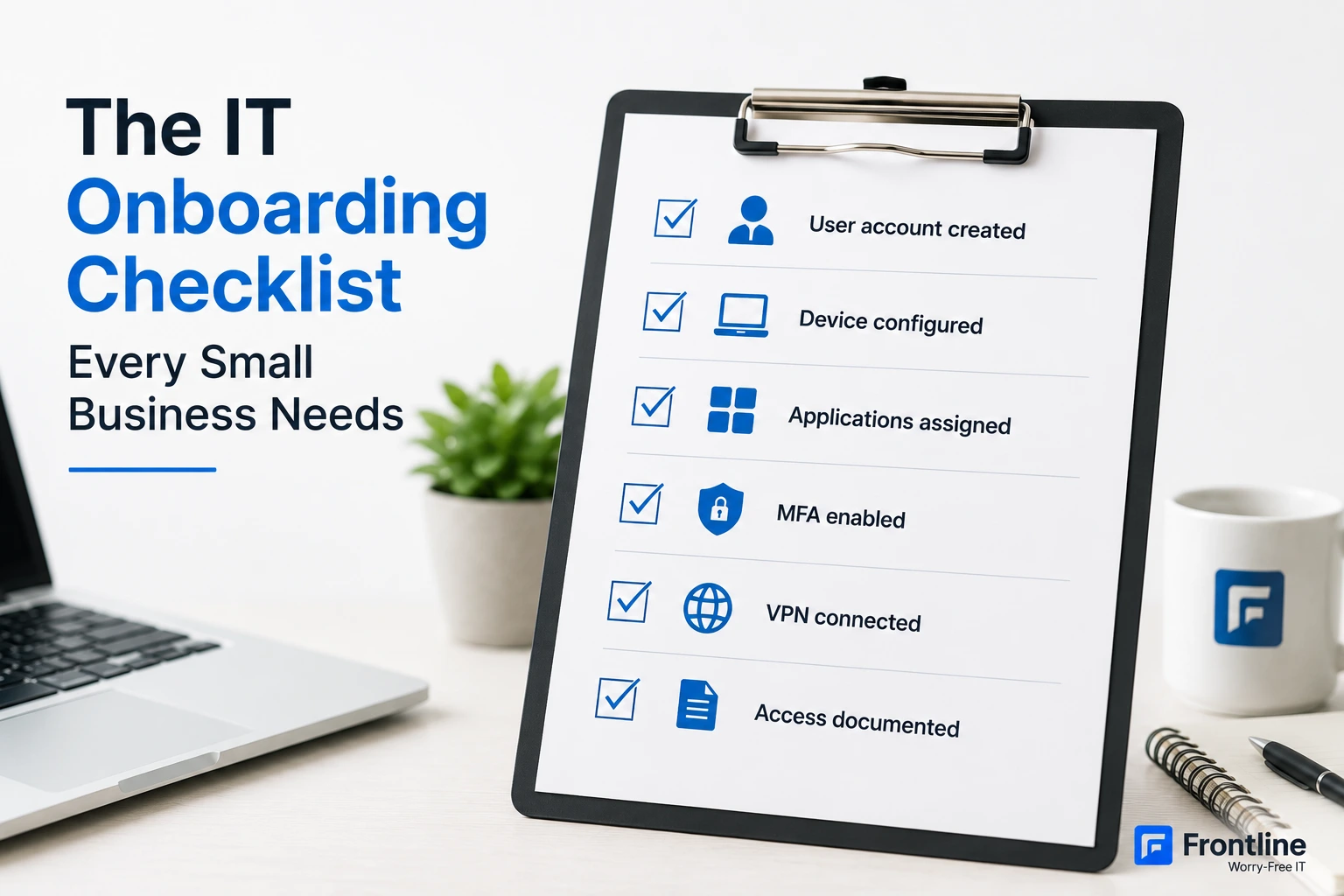
6. IT onboarding and offboarding checklists to ensure all tasks are completed and verified
7. The five most common support tasks have runbooks
8. Every software license and support contract has a record with count and renewal date
9. Important contacts (decision-makers, vendors, emergency) are flagged and current
10. Backup systems, scope, and restore procedures are documented to the restore-from-scratch standard
11. Documentation updates automatically where possible, with named owners for the rest
12. You, the client, can see all of it on request
Scoring: 9 to 12 means you’re in good shape. 5 to 8 is typical, with expensive gaps. 0 to 4 means your business continuity currently depends on specific people’s memory.
But if you want expert advice on what your documentation actually looks like, Book a 30-minute consultation, or call (310) 400-6996 and ask us to show you.
Frequently Asked Questions
What are the four main types of technical documentation?
Different sources count this differently, but a practical breakdown is: reference documentation (what exists), process documentation (how work gets done), knowledge base documentation (how to solve problems), and project/development documentation (how systems were built and why).
What are some examples of good documentation?
Solace’s search-first portal, Angular’s versioned developer guides, and BMC’s fast-answer enterprise docs are all worth studying. Each one nails a different trait.
What are the best practices for IT documentation?
Assign an owner to every document, set a review cadence based on how fast the thing changes, match the format to the content type, publish it somewhere people will actually find it, and start with whatever your team gets asked about the most.
What is the best software for IT documentation?
For managed environments, purpose-built platforms such as IT Glue and Hudu beat general wikis because they enforce structured record types, link credentials to assets, and integrate with monitoring tools for automatic updates.
What does an IT documentation template include?
For each system, record its name and purpose, owner, location, configuration, linked credentials (stored securely in a vault), dependencies, support vendor, warranty or renewal dates, and change history. The 12-point checklist above can also be used as a starting template for the overall environment.
How often should IT documentation be updated?
Configuration data: updated continuously through automation. Manually maintained records: updated whenever changes are made and checked quarterly. Disaster recovery documentation: reviewed at least twice a year, after infrastructure changes, and monthly in compliance-driven environments.
Want to Review Your IT Documentation?
Frontline can review your existing IT documentation, identify gaps, and help build a structure that stays current as your environment changes.
FT
About the author