Remote Monitoring and Management (RMM) is an essential tool for IT professionals and managed service providers (MSPs). It allows them to monitor, manage, and maintain IT systems across multiple locations without being physically on-site. By providing real-time visibility into device performance, system health, and security monitoring support, RMM enables proactive issue detection, reduces downtime, and improves overall efficiency.
In this guide, we’ll explain what RMM is, who can benefit from it, and how it supports modern managed IT services.
What is RMM Software?
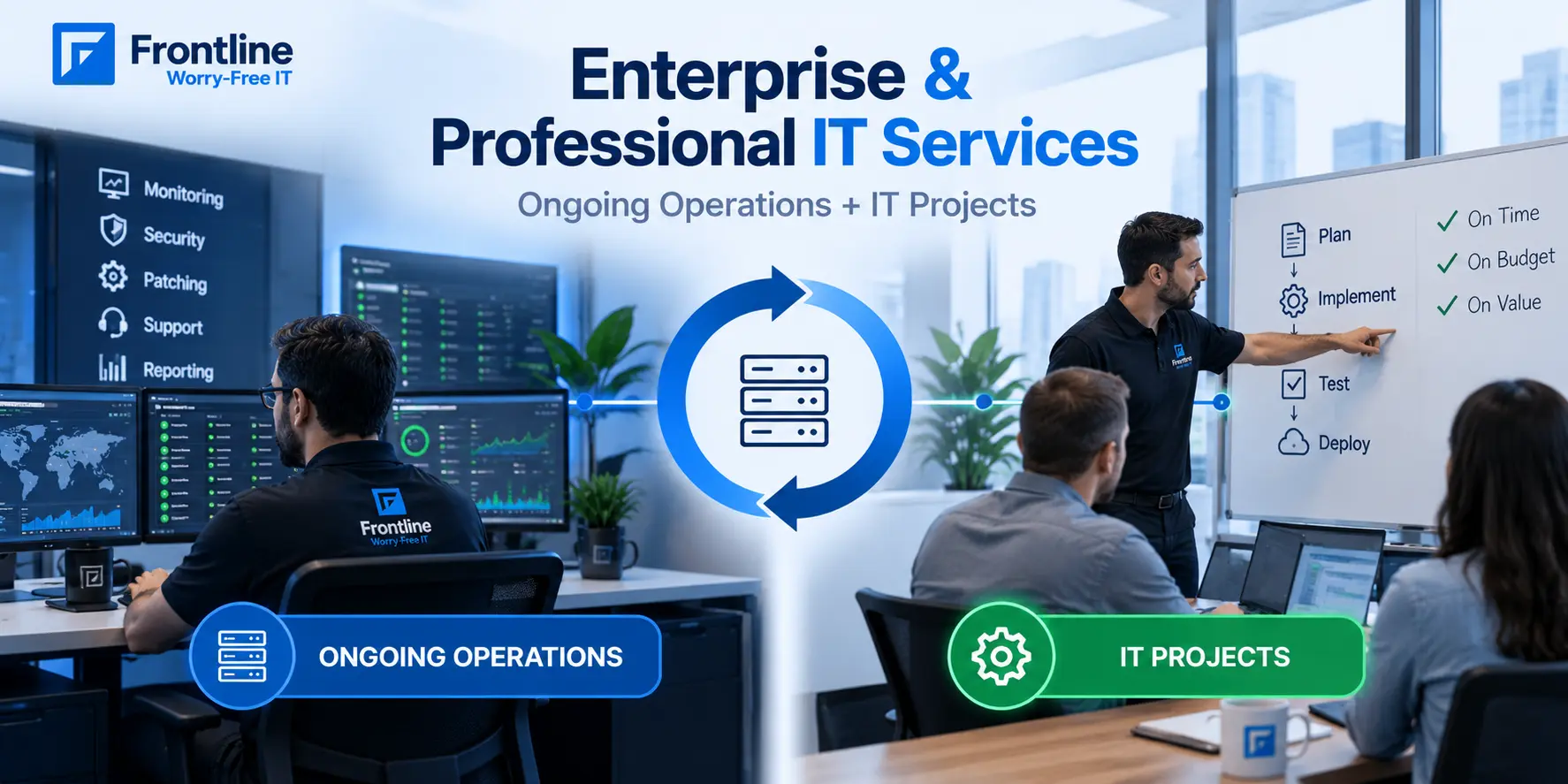
RMM software is an IT management tool that enables IT teams and MSPs to support computers, servers, networks, and other connected devices from a centralized virtual platform. At its core, RMM software automates routine maintenance tasks and helps detect and resolve issues before they disrupt business operations.
RMM software continuously tracks important metrics, such as:
- CPU usage
- Memory consumption
- Disk space usage
- Device status
- Network performance
Keeping an eye on these metrics in real time gives IT professionals a full overview of the entire IT environment.
How Does RMM Software Work?
Remote Monitoring and Management (RMM) software works by deploying a small software agent on each managed endpoint, such as a workstation, server, or network device. The agent continuously monitors key metrics such as CPU usage, memory consumption, disk health, service availability, patch status, antivirus activity, and security configurations. Monitoring can occur in real time or at scheduled intervals. As the agent collects this data, it sends detailed reports back to a centralized, cloud-based management platform.
When predefined thresholds or events are detected, the RMM platform sends alerts and can automatically fix common issues, such as restarting services, applying patches, executing scripts, or resolving common issues without technician intervention.
All endpoints are managed through a single console. This console provides remote access and integrates with various tools to improve workflow management.
With everything in one place, IT teams and MSPs can proactively maintain system health, reduce downtime, and efficiently manage large IT environments from anywhere.
Who Can Use RMM Software?
Although RMM solutions are primarily used by managed service providers (MSPs) and IT teams, there are other industries and organizations that find this tool useful:
- Healthcare: Many clinics and hospitals use RMM software to monitor medical devices, ensure software compliance, and maintain secure patient data across multiple locations.
- Financial: Banks and other financial institutions rely on RMM to protect sensitive data and make sure payment processing, regulatory reporting, and other operations remain uninterrupted.
- Education: Schools use RMM to manage computers, tablets, and lab equipment across campuses, keeping devices updated and secure for staff and students.
- Retail: Retail chains use RMM to maintain POS systems, monitor network health, and make sure all operations run smoothly across all stores.
- Small and Medium Businesses (SMBs): SMBs rely on RMM to automate IT tasks, deploy updates, and manage devices efficiently, even without a large IT team.
Because RMM is used across many industries, it has become the foundation of modern IT management, helping many industries meet critical business performance metrics.
The Benefits of Remote Monitoring and Management Software
Here are some benefits that RMM software offers to drive your business forward:
Automated IT Operations
RMM platforms automate routine but critical tasks such as applying OS and software patches, performing nightly backups, running antivirus scans, and updating security configurations across devices. This ensures devices remain secure, compliant, and up to date, without relying on manual intervention.
Remote Monitoring & Issue Detection
With RMM, IT teams can remotely access endpoints to diagnose and fix issues in real time, eliminating the need for on-site visits and significantly reducing mean time to resolution (MTTR). Combined with real-time alerts and automated corrections, this approach prevents minor problems from turning into major disruptions, keeping systems available and users productive.
MSP-Ready Scalability
This is the core feature of RMM software. It allows IT teams and MSPs to efficiently manage thousands of endpoints without increasing staff or sacrificing performance. For MSPs, true scalability means securely managing multiple client environments from a single, centralized dashboard. A scalable RMM ensures fast and reliable monitoring, alerting, and remote access across all endpoints, no matter how big your network grows.
Lower Operational Costs
Remote management reduces reliance on on-site support and minimizes the need for large in-house IT teams, delivering measurable cost savings while maintaining service quality.
IT Service Management (ITSM) Tools Integration
RMM software integrates with multiple ITSM platforms that enhance workflow, incident management, and align with IT support organizational goals. For organizations balancing remote and on-site, this integration can be a game-changer.
Enhanced Analytics
Modern RMM solutions use advanced analytics to provide detailed reporting, helping IT teams make smarter, data-driven decisions. Leveraging technologies like AI and machine learning is beginning to offer predictive insights, allowing IT teams to prioritize maintenance, take proactive actions where needed, and optimize overall IT performance.
Centralized Endpoint Security
With RMM software, keeping all your devices secure becomes much easier. IT teams can monitor every endpoint from a single central platform, ensuring antivirus software and updates are always up to date. This also helps enforce compliance policies across the system and avoid the biggest cybersecurity risks.
Challenges Using RMM Solution
RMM offers significant benefits but presents several challenges related to security, integration, scalability, and operational complexity.
- Security Concerns: Because RMM agents provide remote access to devices, they can become targets for cyberattacks if not properly secured.
- Cost Considerations: While RMM can reduce operational costs long-term, the initial licensing, deployment, and training costs can be higher, especially for smaller organizations.
- Complexity and Learning Curve: RMM platforms often have many features and dashboards, which can be overwhelming for IT teams, especially smaller teams with limited experience.
- Compatibility Issues: Not all RMM tools support every version of Windows, macOS, Linux, or mobile platforms, and some legacy systems may not be fully manageable.
These risks don’t need to be overwhelming. Understanding what can go wrong in the process helps you be more organized and carefully plan every phase of the RMM software installation.
Why Consider Remote Monitoring and Management (RMM) Software?
If your team works remotely or in a hybrid setup, remote monitoring and management software is the right solution to ensure all employees are productive. It gives MSPs and IT professionals the tools to remotely monitor and maintain entire IT environments, ensuring systems run smoothly and securely. Companies that adopt RMM can take a smarter, more proactive approach to IT solutions.
If you’re deciding between service models, consider co-managed IT services for hybrid collaboration between your in-house team and expert MSPs.
FAQs
Can RMM Be Integrated With Other IT Service Management Tools?
Yes, most modern remote monitoring and management platforms integrate with other IT service management tools, such as ticketing systems, remote desktop access, backup solutions, and antivirus platforms. This streamlines workflows for IT teams and managed service providers. It allows them to manage incidents, automate routine tasks, and enhance overall service delivery through a single unified interface.
Is RMM Suitable for Small Businesses, or Is It Only for Large Enterprises?
RMM solutions are highly scalable and can be adapted for businesses of all sizes. Many managed IT service providers offer tiered remote monitoring and management services tailored for small businesses. It helps them achieve enterprise-level monitoring, management, and security without a full in-house IT department.
Is RMM Software Suitable for Every Business?
RMM software is best suited for organizations that rely on multiple devices, systems, or remote users and need consistent monitoring, maintenance, and security. This includes healthcare organizations, financial and educational institutions, and small and medium-sized businesses (SMBs).
FT
About the author