

Office Wi‑Fi drops are rarely random. Most commonly, they’re caused by interference, overloaded equipment, or deeper network issues, not unpredictable glitches. When connectivity becomes unstable, small delays quickly turn into frozen screens, dropped video calls, and stalled cloud apps across the office.
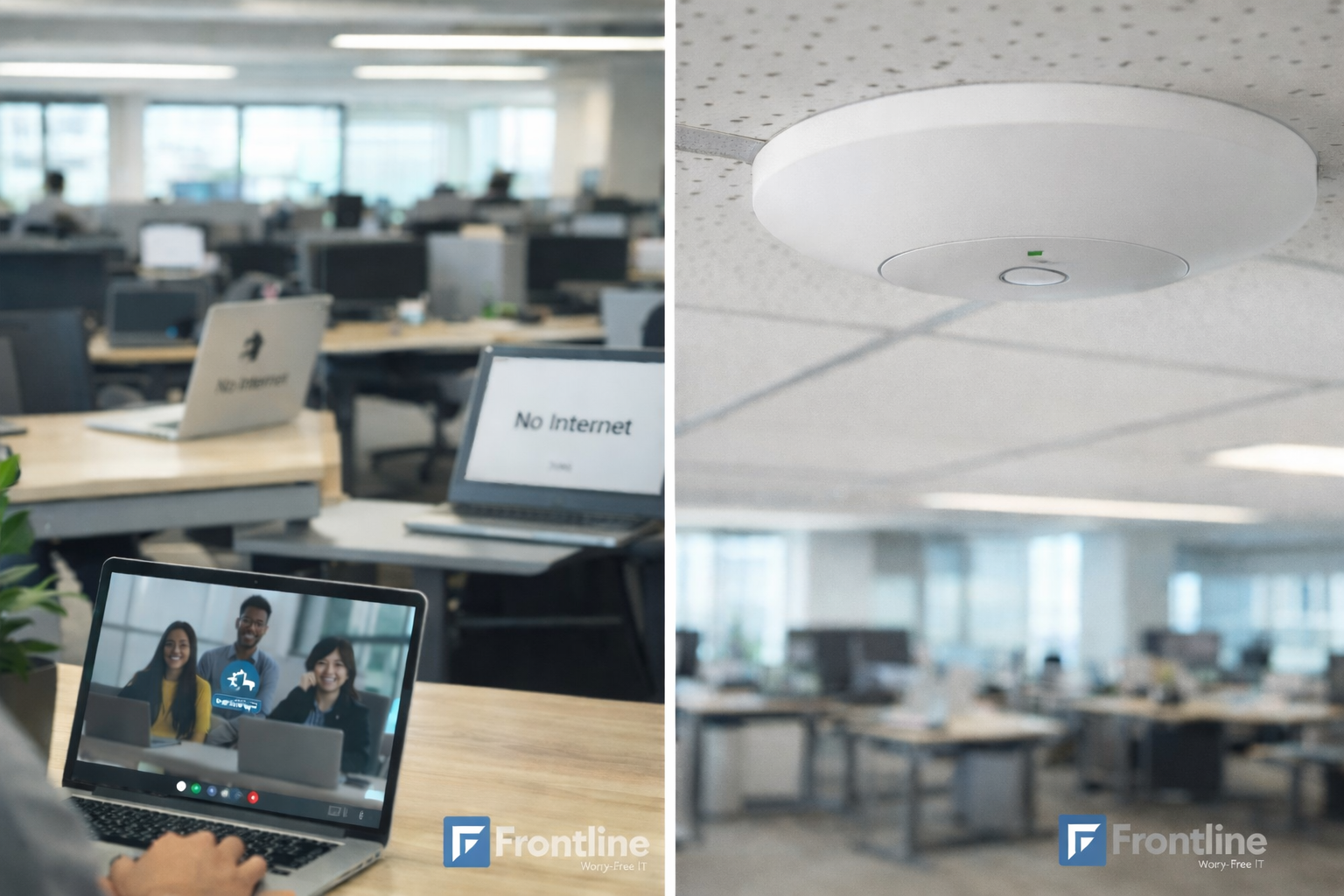
When this happens, the first symptom is quite familiar to everyone: “No Internet connection” during meetings, calls, or cloud work. But, why does it happen?
When Wi-Fi drops start becoming regular parts of your workday, it’s usually something bigger than just a broken router. These issues tend to build up slowly over time, especially when more people, apps, and devices are being added to the network.
A small amount of interference and slightly overloaded access points can make your Wi-Fi feel unreliable. As you might have noticed, this is why drops often seem worse in certain rooms, at certain times of day, or when specific teams are all on calls at once.
Typical reasons Wi-Fi keeps dropping in office environments:
- Interference from the physical environment such as neighboring Wi-Fi networks, thick walls, metal shelves, glass partitions, elevators, cordless phones, and even microwaves. These factors all generate noise, or block the signal between devices and access points, which causes random-seeming drops and dead zones in meeting rooms or corners of the office.
- Overloaded access points where too many laptops, phones, conference systems, printers, and IoT devices all compete for the same radio channel. Due to utilization spikes, and latency increases, devices may disconnect or fail to roam smoothly.
- Outdated or under-powered Wi-Fi equipment that was sized for a smaller team or older traffic patterns. The increase in video calls, cloud backups, and overall tool usage can cause older hardware to overheat or reboot – which translates to short outages in user experience. Poor access point placement, like units hidden in closets, above metal ceilings, or placed at the ends of long hallways. This can create uneven coverage where some desks constantly sit at the edge of the signal and drop as soon as there is any interference or movement. When dropped connections are caused by poor coverage or improperly placed wireless equipment, this guide on installing business wifi access points explains how proper access point placement can improve network reliability.
Office Wi-Fi stability depends on more than wireless access points alone. Switches, cabling, authentication systems, and how traffic is handled across the internal network and server infrastructure all play a critical role in whether connections remain stable or drop under load. When this foundation isn’t designed or maintained correctly, Wi-Fi issues tend to appear repeatedly across the office, regardless of the devices being used.
| Possible Issue | What’s happening | How it shows up in the office |
| Physical interference | Walls, metal, glass, nearby Wi-Fi networks, and office equipment disrupt wireless signals | Weak signal, dead zones, and drops in certain rooms |
| Access point overload | Too many devices share the same radio channels at the same time | Slow connections, frozen calls, random disconnects |
| Outdated equipment | Wi-Fi hardware cannot handle modern cloud video and collaboration traffic | Short outages, frequent reconnecting |
| Poor access point placement | Coverage is uneven or devices sit at the edge of signal range | Drops when moving or during meetings |
| Peak time congestion | Network load spikes when many users start calls or apps simultaneously | Issues during mornings and busy hours |
| Roaming issues | Devices stay connected to distant access points instead of switching | Sudden drops when presenting or walking |
| Network infrastructure limits | Switches, routing, authentication, or servers become bottlenecks | Wi-Fi seems broken but issue is deeper |
| Lack of monitoring | Problems go unnoticed until productivity is affected | Repeated complaints and IT tickets |
Why It Feels Random (But Isn’t)
From an employee’s perspective, Wi-Fi drops look unpredictable and random: calls failing, files not uploading; and at times, everything’s fine. But in the background, there are usually very consistent patterns.
What causes these “random” drops
- Peak time congestion when many people arrive, start video meetings, or join webinars at the same time. In those moments, access points and the internet connection can hit their limits, forcing devices to disconnect or time out.
- Devices that cling to a distant access point instead of switching (roaming) to a closer one. As the signal weakens, performance degrades, and the connection drops just as someone starts presenting or sharing a screen.
- Brief interruptions when access points change channels to avoid interference, apply firmware updates, or recover from minor faults. To a user, this appears as a short “blip” where the Wi-Fi disconnects and reconnects without any clear explanation.
Since these triggers are tied to behavior and schedules, Wi-Fi instability tends to follow “the rhythm” of the office. Morning rush, company-wide calls, and busy afternoons are often when the underlying limits of the network are exposed. Not taking these factors into consideration makes it that much easier to assume the Wi-Fi is “unreliable” rather than overloaded.
How the Rest of the Network Affects Wi-Fi
Most modern offices rely heavily on cloud applications, video conferencing, and real-time collaboration – and Wi-Fi is the key point. Everything that happens in between influences whether users experience drops, freezes, and lagging.
Key elements that interact with office Wi-Fi
- Internal routing and VLAN design, which determine how quickly traffic can move between departments, servers, and the internet. Poor segmentation or routing loops can create congestion and random-seeming disconnections.
- Authentication systems (like directory services or single sign-on) that may reject or delay sessions when under load. In those cases, devices may show repeated prompts or sudden loss of access.
- On-premises servers and cloud getaways that handle file sharing, line-of-business apps, or remote desktops. When these systems slow down, it might seem like the Wi-Fi is the issue, even though it’s something deeper in the application path.
When It Makes Sense to Get Managed Network Support
Once Wi‑Fi drops become a regular topic in internal chats or IT tickets, it is a sign that quick fixes are no longer enough. At that point, businesses benefit from a more structured, ongoing approach rather than ad hoc troubleshooting.
For organizations that depend on reliable connectivity across multiple teams, locations, and cloud tools, ongoing managed IT network support provides:
- Continuous monitoring of wireless and wired components, so issues like access point overload, interference spikes, and failing switches are spotted early.
- Capacity planning that takes into account headcount growth, new applications, and changing work patterns, instead of waiting for the network to become a bottleneck.
In office environments, recurring Wi-Fi drops are often a symptom of deeper network issues that aren’t being monitored continuously. Without visibility into traffic spikes, access point behavior, and device load, instability tends to surface only after productivity is affected.
For organizations relying on stable connectivity across their teams, ongoing managed IT network support helps detect and address these patterns early, especially in fast-paced business environments like Los Angeles.
Treating Wi-Fi drops as a sign of overall network health (rather than an isolated annoyance) can lead to a more stable and predictable environment. That shift rests on visibility, a strong wired foundation, and regular attention to how the network supports day-to-day office work.
FT
About the author