
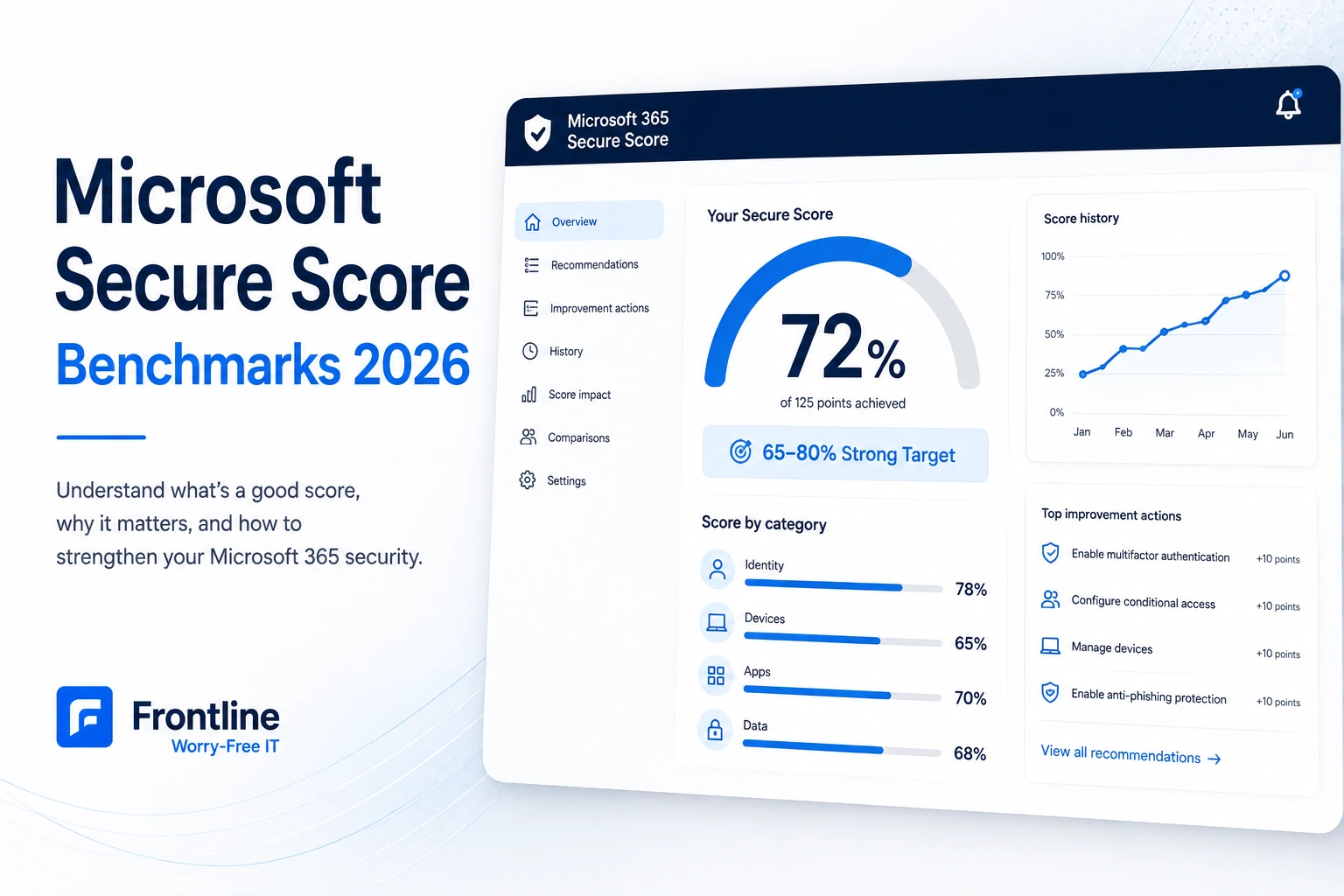
A good Microsoft Secure Score for a small business is typically 65–80%. But when we assess small businesses in Los Angeles, many start between 30% and 45%.
Why does this number matter? Because improving cybersecurity starts with understanding your current security posture across identities, devices, applications, data, and infrastructure.
This guide explains what Microsoft Secure Score measures, what different score ranges usually mean, why licensing matters, and which changes tend to make the biggest difference.
What Is Microsoft Secure Score?
Microsoft Secure Score is a measurement tool that helps businesses assess their security posture using a standardized score. You can find it in the Microsoft Defender portal at security.microsoft.com.
It is included with Microsoft 365 subscriptions and evaluates your configuration across several areas, including identities, devices, apps, data, and infrastructure.

What Microsoft Secure Score Actually Measures
There are two important things business owners should understand about how the score works.
The four main areas include:
- Identity: MFA, admin roles, conditional access, password policies, and sign-in security
- Devices: Device management, encryption, operating system requirements, and compliance
- Apps: Anti-phishing, Safe Links, Safe Attachments, and collaboration protections
- Data: Information protection and controls that help prevent sensitive data from leaving your environment
How Is Microsoft Secure Score Calculated?
Microsoft assigns points to recommended security actions, with some actions worth up to 10 points.
Some recommendations are straightforward: enable a setting and receive the points. Others are based on how widely the control has been implemented. For example, if MFA is worth 10 points and it is enabled for only half of your users, you may receive roughly half the available points.
Your score can also change as your environment changes. Adding users, enrolling devices, changing policies, or leaving older settings untouched can all move the score.
What’s a Good Microsoft Secure Score? Benchmarks by Range
Based on published guidance and what we have seen in our own client assessments, 65–80% is a strong target for most small businesses.

| Score | What it usually means |
|---|---|
| Below 30% | Mostly default settings. MFA may be incomplete, conditional access may not be configured, and devices may be unmanaged. |
| 30–45% | Where many small businesses start. The basics are in place, but several important controls are missing or unavailable. |
| 45–65% | Meaningful security work has been done. MFA is likely enforced and some Defender policies are active, but gaps remain. |
| 65–80% | A well-hardened environment with a solid conditional access baseline, managed devices, and properly configured Defender protections. |
| 80%+ | Excellent. Chasing every remaining point may create more user friction than meaningful security benefit. |
Does a Good Score Change by Industry or Company Size?
Yes, to some extent. A 15-person marketing agency does not have the same security requirements as a 200-person healthcare billing company.
If your business handles regulated or highly sensitive information, such as healthcare records, financial data, or defense-related information, you may need to aim higher. Frameworks such as HIPAA and CMMC treat controls like MFA and conditional access as baseline requirements.
For most small businesses without those additional requirements, 65–80% is a practical target.
Why a Low Secure Score Is a Business Risk, Not Just an IT Metric
Small businesses are attractive to cyberattacks because many environments still rely heavily on default configurations. This is why managed cybersecurity services matter when a business needs continuous monitoring and stronger controls.
One of our Los Angeles clients experienced a business email compromise last fall. The attack started on September 9 and was not discovered until early October. The attacker had access to a mailbox for nearly a month.
Sign-in logs showed activity from four different countries. Microsoft had flagged some of the activity, but the environment was not configured to automatically respond to those alerts.
The attacker appears to have gained access through phishing that stole a session token, allowing them to bypass the basic MFA protections already in place.
Controls we implemented afterward included:
- Risk-based conditional access
- Geographic sign-in restrictions
- Periodic re-authentication
- Managed-device requirements
Several of those controls required a higher Microsoft 365 license tier. That is why Secure Score can be a useful snapshot of whether fundamental protections are actually in place.
Why Cyber Insurance and Compliance Matter Too
Cyber-insurance applications increasingly ask about controls such as MFA, conditional access, and managed devices. Those are the same types of controls Microsoft Secure Score measures.
If your business handles regulated data, frameworks such as HIPAA and CMMC also make many of these controls baseline expectations.
The Quick Wins to Increase Your Score Fastest
If your score is sitting around 35%, these are the six areas we typically prioritize in Microsoft 365 hardening projects. A broader IT security audit can also help identify configuration gaps outside Microsoft 365.

| # | Fix | What it does |
|---|---|---|
| 1 | Enforce MFA properly for every user and admin | Moves beyond basic security defaults to policy-driven MFA and is often one of the biggest single point movers. |
| 2 | Deploy a conditional access baseline | Helps block legacy authentication, require MFA, restrict unknown devices, control geographic sign-ins, and respond to risky activity. |
| 3 | Block legacy authentication | Prevents older protocols such as IMAP and POP from creating a side door around modern authentication. |
| 4 | Configure Microsoft Defender for Office 365 | Adds anti-phishing, impersonation protection, Safe Links, and Safe Attachments. |
| 5 | Enroll company devices in Intune | Enables device management, encryption, screen-lock requirements, OS standards, and managed-device policies. |
| 6 | Clean up accounts and passwords | Strengthens password policies, restricts external forwarding, and removes unnecessary shared accounts. |
What Will Your Employees Actually Notice?
Most of these changes can be rolled out without creating a major disruption. MFA enforcement and device requirements are the two changes users are most likely to notice.
The key is not to turn everything on at once.
We typically run new conditional access policies in report-only mode for one to two weeks, review what would have been blocked, identify exceptions such as service accounts or conference-room systems, and then enable enforcement.
The Licensing Catch: Business Standard vs. Business Premium
Some of the most valuable security controls, such as Intune device management, Defender for Office 365, and risk-based conditional access, are not included with Microsoft 365 Business Standard.
If you are on Business Standard, you may have a built-in ceiling on how high your Secure Score can go. It is not always that you forgot to enable the controls. You may simply not have access to them.

Microsoft 365 Business Premium adds capabilities such as Entra ID P1, Intune, Defender for Business, and Defender for Office 365 Plan 1. Certain risk-based policies may require an additional Entra ID P2 license. Businesses planning broader Microsoft 365 changes can also review Frontline’s Microsoft 365 migration and management services.
Premium costs more, but that cost should be compared with the potential cost of a compromised mailbox, stolen data, or business disruption.
When Should You Upgrade Microsoft 365 Licenses?
Do not wait until renewal day to start the work. If you are planning to upgrade licenses, configure and test the policies beforehand. Then, when the new licenses become active, the security controls can be switched on immediately.
How to Improve Microsoft Secure Score
- Turn on audit logs
- Enable MFA for all users and admins
- Set up conditional access policies
- Block legacy authentication
- Configure Microsoft Defender for Office 365 with anti-phishing, Safe Links, and Safe Attachments
- Review user and admin accounts to restrict unnecessary access
- Monitor your Secure Score regularly
- Check whether your Microsoft 365 license gives you access to the controls you need
A well-configured 65–80% score can be more valuable than chasing 100% without considering usability or business needs.
Real Example: A 50-Employee LA Agency at 35%
Earlier this year, we assessed a Los Angeles creative agency with about 50 employees. Their Microsoft Secure Score was 35%, and they were using Microsoft 365 Business Standard.

They had MFA through Microsoft’s basic security defaults, but no conditional access policies. Their computers were not enrolled in device management, and their Microsoft Defender for Office 365 anti-phishing protections were not configured.
And nobody noticed. Email worked. Files synced. Employees could get their jobs done. From the user’s perspective, everything looked normal.
Their identity sub-score was 83%, even though the overall score was only 35%. This is why individual category scores matter and why one overall percentage never tells the whole story.
How Frontline Improves Microsoft Secure Scores
- Assess: Pull the Secure Score, identify gaps, review devices, and flag accounts that need special treatment.
- Configure in report-only mode: Build conditional access and Defender policies and observe them for one to two weeks.
- Enroll devices in waves: Start with a pilot group and gradually roll changes out across the company.
- Enable, verify, and document: Activate the controls, confirm they work, document the configuration, and support users during the transition.
A typical project takes around four weeks and is often timed around a licensing renewal.
Before working with an IT provider, ask for:
- A clear before-and-after score
- Documentation of the policies implemented
- A plan for ongoing reviews
What Secure Score Doesn’t Tell You
Secure Score is useful, but it is not a complete security assessment. It does not tell you much about third-party SaaS applications outside Microsoft 365, whether an employee will fall for a convincing phishing email, or whether your business will definitely avoid a breach.
It also does not replace operational resilience. Strong security should be supported by tested backup and disaster recovery processes in case an incident still occurs.
You can also become too focused on the number itself. Chasing 100% just because it is available is not always the smartest move. Some recommendations can create more user friction than practical security benefit.
The goal is not a perfect score. The goal is a security posture that makes sense for your business. For many small businesses, that means aiming for 65–80% and making sure the controls behind that score are actually appropriate for the environment.
Frequently Asked Questions
Ready to Check Your Microsoft Secure Score?
Frontline provides a free Microsoft 365 security assessment for Los Angeles small businesses. We will review your Secure Score, identify the gaps that matter most, and explain what you can fix now, what can wait, and what your current Microsoft license actually gives you access to.
Fifteen minutes looking at your Secure Score could tell you more about your Microsoft 365 security than another month of hoping everything is configured correctly.
Book a 30-minute consultation